
Bicep Heart AI / Templates
Bicep Heart Video Templates
Two templates, one seven-second pose. Classic Pose puts a person in the flex; Pet Pose does the same with a dog or cat. Both take one photo, return a silent MP4 with no watermark, and show the exact credit cost before you generate.
- Length
- 7 seconds, set by the template
- Photo
- One portrait or one pet photo
- Frames
- 9:16, 1:1 or 16:9
- Output
- Silent MP4, no watermark
- Cost
- 5 credits at 768P, 8 at 2K
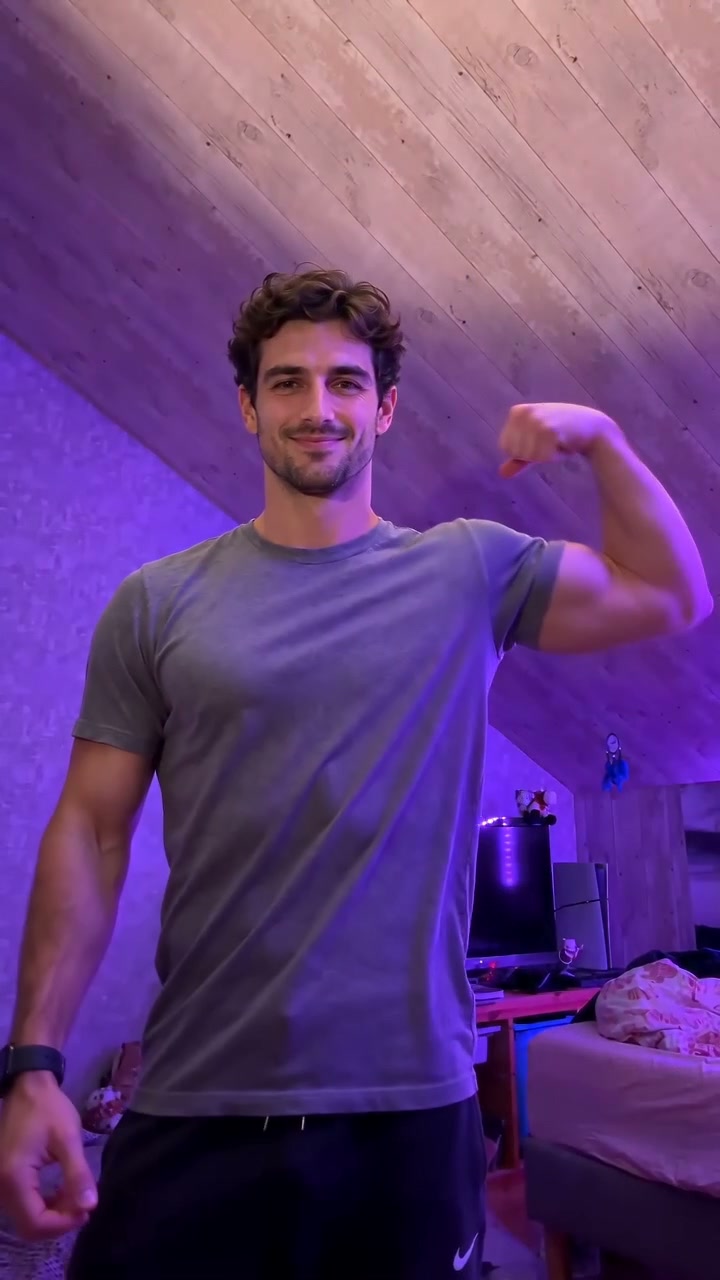 Pose7s
Classic Pose
01Smile, grip the opposite arm, flex that bicep to the camera, then curl the free hand onto the muscle so the hand and the arm make a heart.
- Best for
- The original Bicep Heart pose
- Length
- 7 seconds
- Photo
- One clear portrait
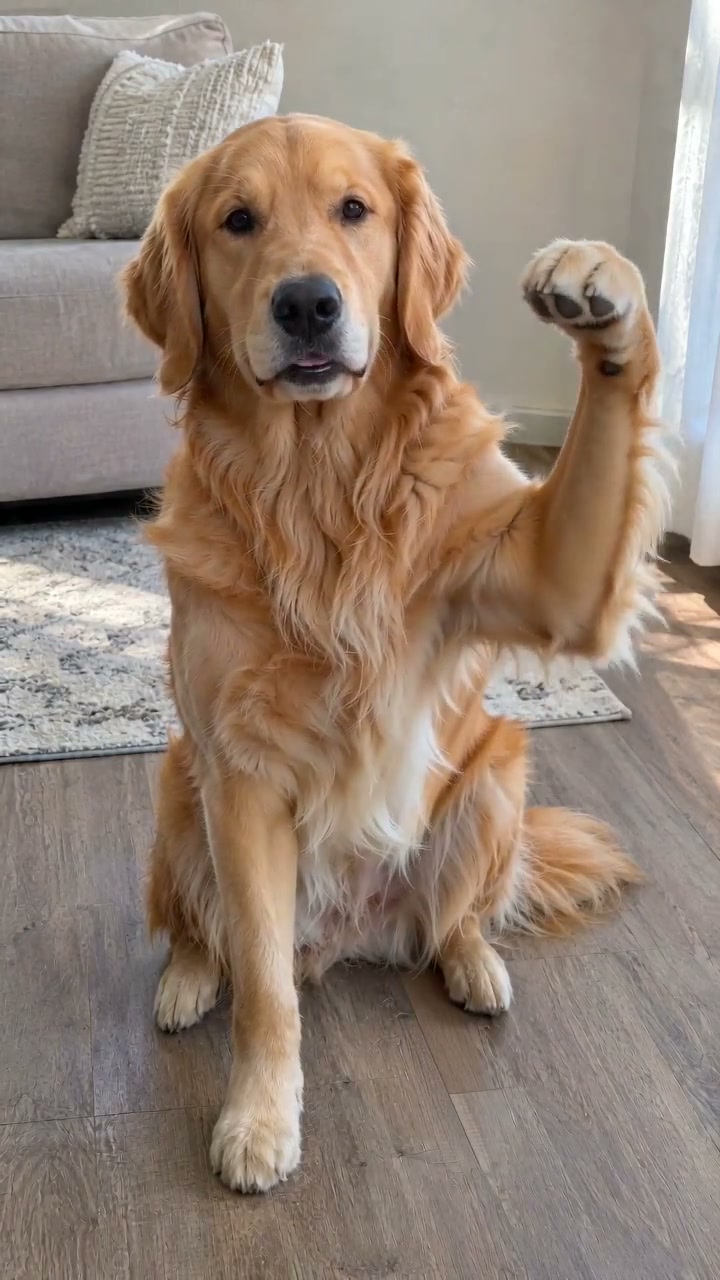 Pet7s
Pet Pose
02Your dog or cat sits facing the camera and raises a front paw into the same flex, so the paw and the shoulder read as a bicep heart.
- Best for
- A pet doing the flex
- Length
- 7 seconds
- Photo
- One clear portrait
Bicep Heart templates
How to choose a Bicep Heart template
Bicep Heart template requirements
Bicep Heart template photo requirements
Start with Classic Pose
Classic Pose is the Bicep Heart pose people recognise: smile, grip the opposite upper arm, flex that bicep to the camera, then curl the free hand onto the muscle so the hand and the arm make a heart. The clip is seven seconds and silent.
Send a Bicep Heart photo, not a finished heart
A waist-up shot with the face and both arms visible. You do not need a still of the finished heart — that is what the reference clip does. Sunglasses, cropped heads and group photos are the usual reasons a render goes soft.
Bicep Heart template length and cost
The reference clip is billed with the output, so the workspace shows the exact credit total before you submit — and a failed render returns its credits.
Bicep Heart template FAQ
Bicep Heart template FAQ
Which Bicep Heart template should I start with?
Classic Pose for a person, Pet Pose for a dog or cat. Classic is the one people search for: grip, flex, heart, from one waist-up portrait. Pet Pose does the same flex with a paw.
Can I use the same photo for more than one Bicep Heart video?
Yes. Nothing about your photo needs to change between runs. If a render finishes and you want another frame or resolution, upload the same file again.
Why is a Bicep Heart video seven seconds?
Because that is how long the reference clip is. The template sets the length and it cannot be changed, which is why every finished Bicep Heart Video on this site is seven seconds.
Can I put my pet in the Bicep Heart pose?
Yes. Pet Pose swaps the animal into its own reference clip instead of a person, so upload one clear photo of a dog or cat with the front legs visible, one animal per photo. A paw has no bicep and cannot curl like a hand, so the clip reads as a cute copy of the pose rather than a perfect heart. It is still seven seconds and silent.
Can I upload a group photo to Bicep Heart?
A group photo usually makes the result worse. The model has one slot for the person in the pose, and extra faces are ignored. Crop to one adult, waist-up, with both arms in frame.
Does Pet Pose work for cats as well as dogs?
Yes. Pet Pose accepts one dog or cat. The animal should face the camera with its front legs visible; the breed, fur and markings come from the photo, and the clip supplies the paw flex.
Why does a pet not make a perfect Bicep Heart?
A paw has no bicep and cannot curl like fingers. The clip reads as a paw flex beside the shoulder — a cute copy of the pose, not a closed hand-heart. That limit is in the animal, not in a setting you can change.