
Home › All guides › Bicep Heart picture
Bicep Heart picture
There are two ways to get a Bicep Heart picture. You can strike the pose and take the still yourself, or upload one portrait and let the generator play the pose for you, then take a frame. A Bicep Heart pic or a Bicep Heart photo means the same thing here: a still of the pose, not a second kind of file. This page covers both routes, because the same words are searched for both.
How to get a Bicep Heart picture: two routes
A Bicep Heart picture can be a still you take or a frame you pull from a generated clip. The hand-made still gives you control over the light and the hand shape; the generated frame gives you a face on a pose you did not perform.
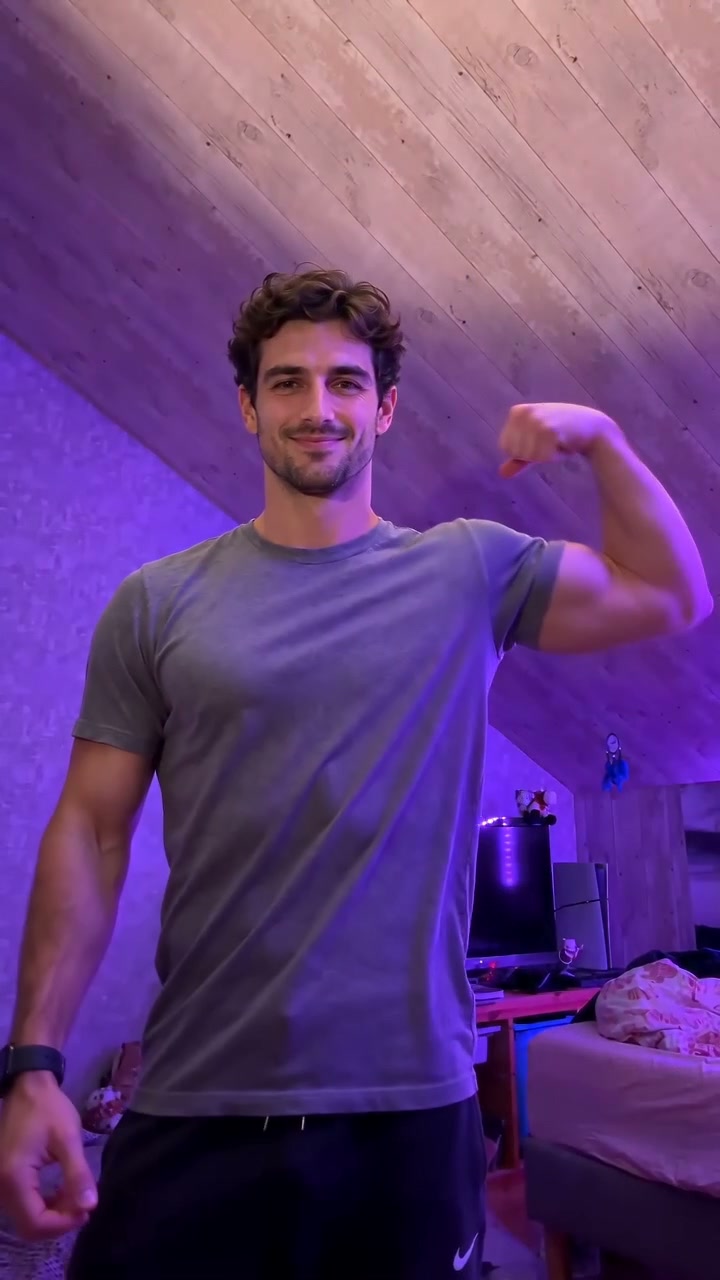
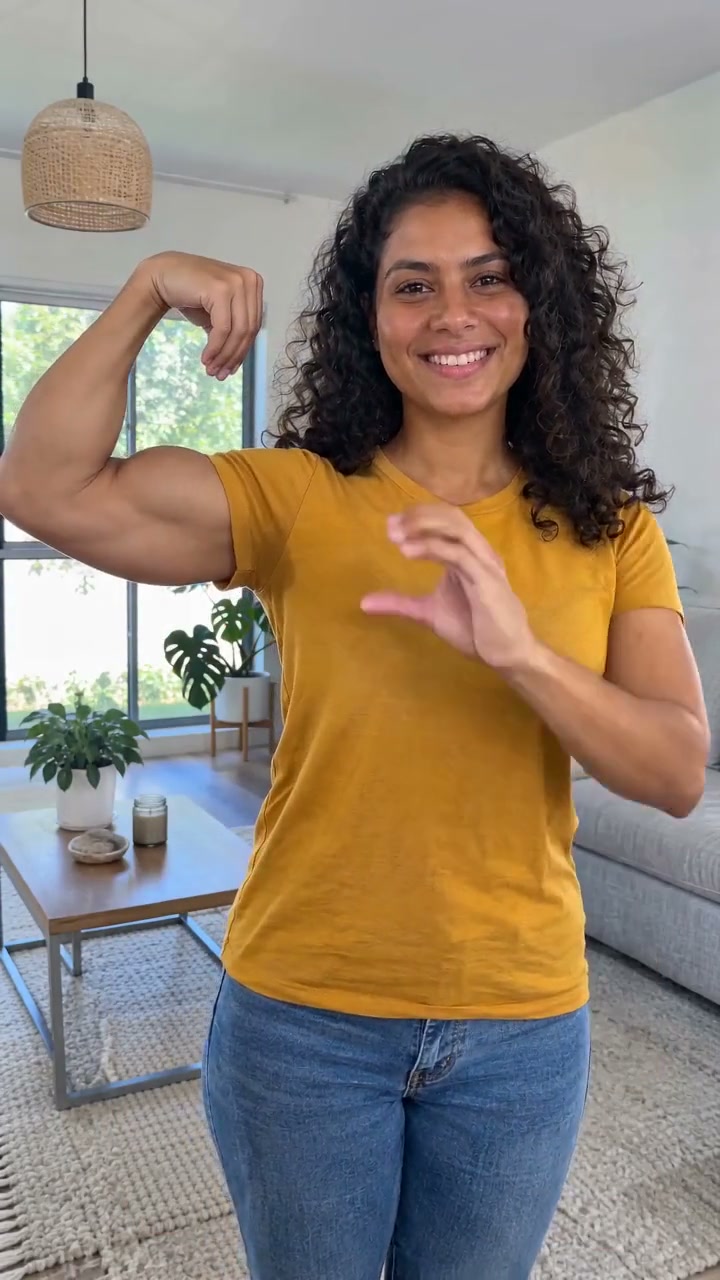
How to take a Bicep Heart picture yourself
Face the camera and smile. Reach across with one hand and grip the opposite upper arm just above the elbow, then flex that arm so the bicep turns toward the lens with the fist near your ear. Curl the free hand onto the muscle so the thumb and fingers close the curve into a heart.
The heart is mostly the hand, not the muscle. That is why the pose works on more body types than a strict two-biceps hold, and why the hand has to be the sharpest thing in the frame.
A still is more forgiving than a clip: a frozen frame hides the small timing errors that make video look wrong. Put the camera at chest height about a metre away, waist-up, with even light from the front. A window behind you silhouettes the arm and loses the gap that makes the heart.
How to generate a Bicep Heart picture from a photo
The other route is to upload one ordinary portrait and let the generator produce the pose. What comes back is a seven-second video, not a still. If what you want is a picture, pause the clip on the finished heart and take the frame from there.
This is the route for a photo you cannot take, a face you cannot ask to perform the pose, or a pet. It costs credits, so fix the input before you spend one. A seven-second 768P render is 5 credits; 2K is 8.
What photo does the Bicep Heart generator need?
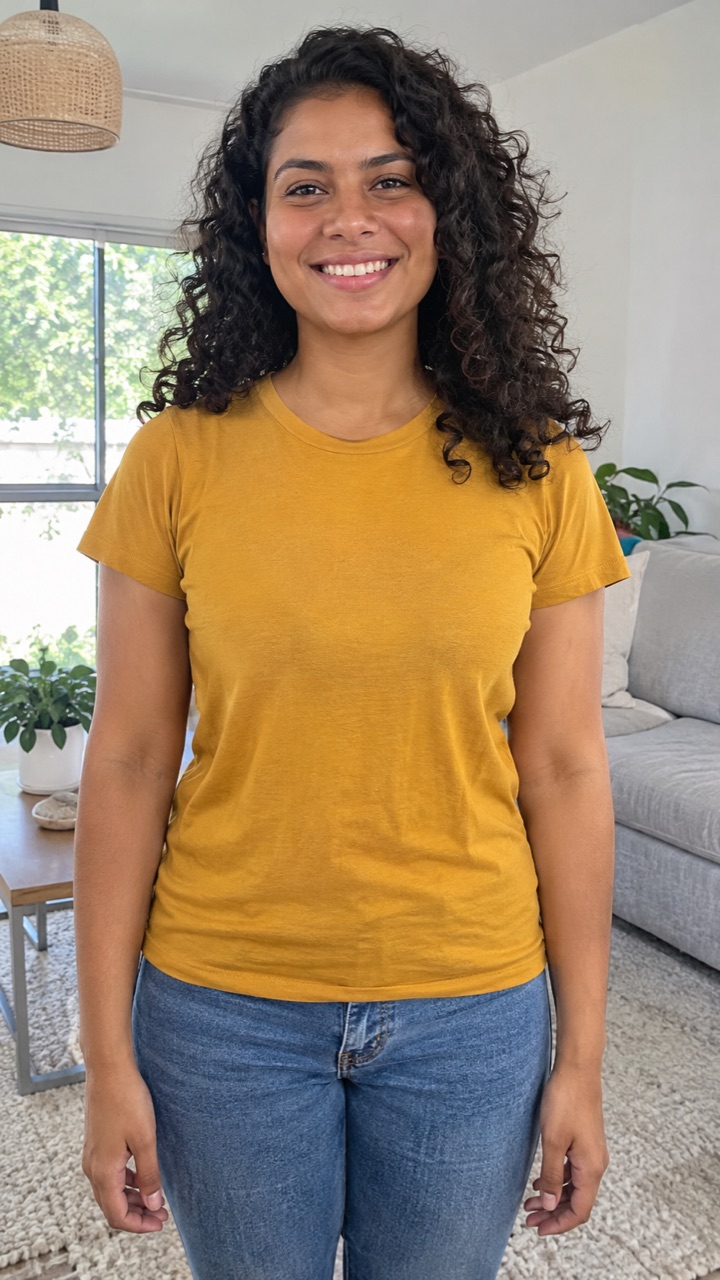
A waist-up portrait: face visible, both arms in frame, even light. That is the whole requirement. The still you upload is not supposed to already be the heart. If you have a photo of the finished pose, that is a souvenir, not an input.
A tight selfie that crops the elbows makes the model invent arms, and invented arms are where the heart falls apart. Leave a little room above the head and below the elbows: the reference clip moves, and a crop that is already tight has nowhere to go.
Short sleeves beat long sleeves, because the muscle and the hand need a clear edge. One person only. A second face in the frame is ignored, and every face gets smaller for it.
JPG, PNG or WebP, up to 10 MB, at least 256 pixels on each side. Skip beauty filters that smear skin; texture is part of what makes a face recognisable after seven seconds of motion.
How to pull a Bicep Heart picture from the video
The generator returns video, not a still. Play the clip to the final beat, pause on the frame where the hand closes the heart, and take a screenshot. On a phone, scrub the timeline until the hand and the bicep form the shape you want; on a desktop player, pause and use the frame-step control if it has one.
A still taken from a moving clip can be softer than a photo. If print quality matters, take the still yourself with the steps above rather than enlarging a video frame.
How do I get a Bicep Heart picture?
Two routes: take the still yourself with the four-beat pose, or upload one waist-up portrait to the generator and pause the resulting seven-second video on the finished heart. The first is free; the second costs credits.
Can I get a Bicep Heart picture without a video?
The generator returns video. Take a frame from the finished clip, or take the still yourself using the steps above. There is no still-only export.
Can I upload a Bicep Heart photo that already shows the heart?
Not as input. The template starts from a standing portrait, so a finished-heart photo gives the model nothing to animate. Use a plain portrait and let the reference clip perform the pose.
What photo works best for a Bicep Heart picture?
A waist-up portrait with the face and both arms visible, even light from the front, one person, no sunglasses or heavy filters. Short sleeves help; a tight crop that cuts the elbows hurts.
Why was my Bicep Heart photo rejected?
Usually the elbows are cropped, there is more than one face, the file is under 256 pixels on a side, or it is not a JPG, PNG or WebP. Fix the input before spending a credit.
Does a Bicep Heart picture have to be of me?
No, but it has to be someone who agreed to appear. Using another person’s photo without permission is the one mistake re-uploading cannot fix.